DigiLegacy

归零 · 数字遗产管理及继承系统

An open-source, local-first desktop app for digital legacy planning and digital inheritance. Discover every account you own, decide how each should be handled, and leave your family a ready-to-execute inheritance toolkit — with everything encrypted on your own machine.

MIT License 39 tests passing Windows 10/11 No servers No telemetry

The problem: your digital life has no will

When someone dies, their family usually cannot find — or access — what they left online.

01

Nobody knows what exists

Payment balances, game assets, subscription credits, creator income — scattered across dozens of platforms. Even the account owner cannot list them from memory.

02

Nobody knows what is inheritable

A wallet balance can be inherited; the account itself often cannot. Game accounts have case law supporting property rights. Rules differ per platform and sit buried in terms of service.

03

Nobody knows how to claim it

A deadlock: platforms ask for a notarized certificate; notaries need to know what the accounts contain; the family does not know. The estate simply goes dormant.

What DigiLegacy does

Six modules covering the full path: discovery → registration → planning → documents → trigger → execution.

01

Digital asset discovery

A built-in policy database of 150+ platforms across 16 categories plus a guided self-check questionnaire — designed to surface accounts you have already forgotten.

02

Classification & registration

Every asset is classified as property, personality, or mixed. Platform passwords are never stored; the app records where an account exists, not how to break into it.

03

Disposal planning

Choose per asset: inherit by a named person, liquidate and distribute, memorialize, authorize viewing, delete permanently, donate, or take no action.

04

Inheritance report & toolkit

One click generates an HTML report and exports a ZIP toolkit (report, asset list, summary, and instructions for your family) in open formats — readable without this app.

05

Dead man's switch

Periodic check-in with a three-stage confirmation chain: remind you → notify your emergency contact → send the key envelope to your executor. Runs in the background every 30 minutes while the app sits in the system tray; optional zero-content cloud heartbeat.

06

Heir guidance & legal templates

A wizard that walks family members through each platform's procedure, required documents and transfer path — plus six categories of legal document templates.

Screenshots

A native desktop app, about 3 MB installed. Interface shown in Simplified Chinese (the primary target locale); an English UI is on the roadmap.

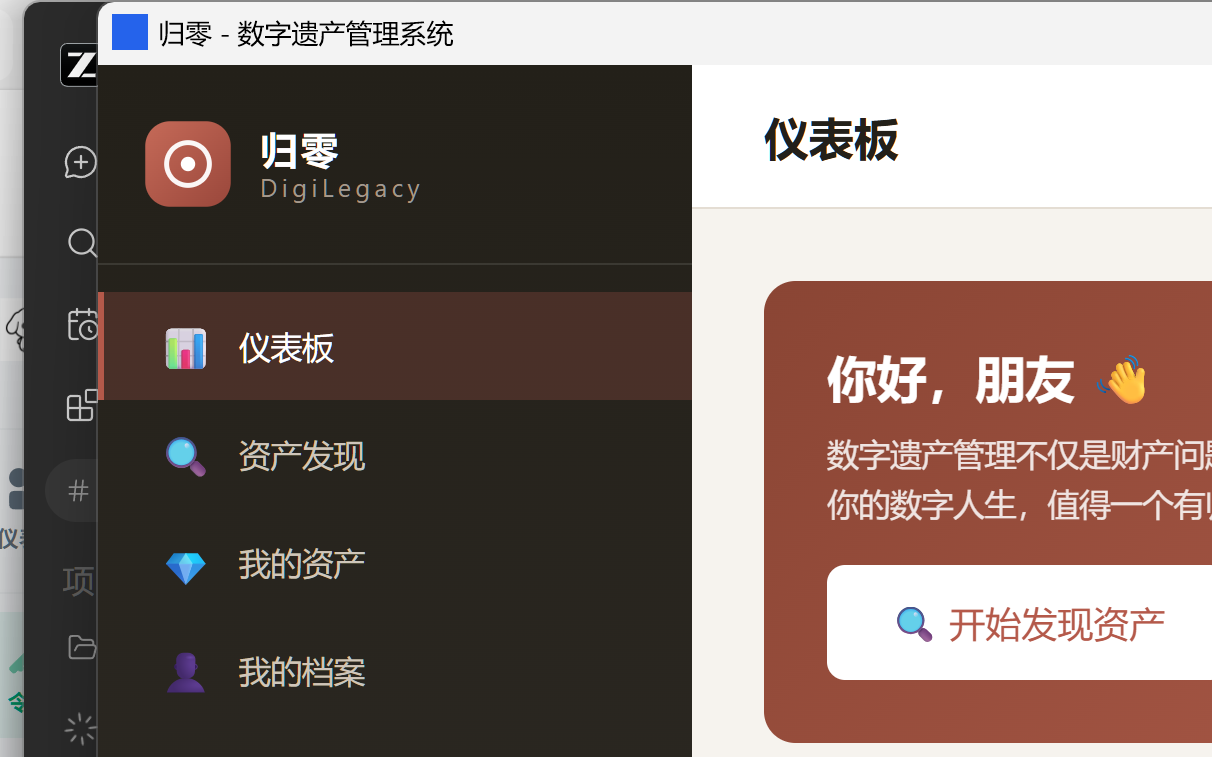
DigiLegacy dashboard showing asset totals, total estimated value and planning completion
Dashboard — asset overview and planning progress
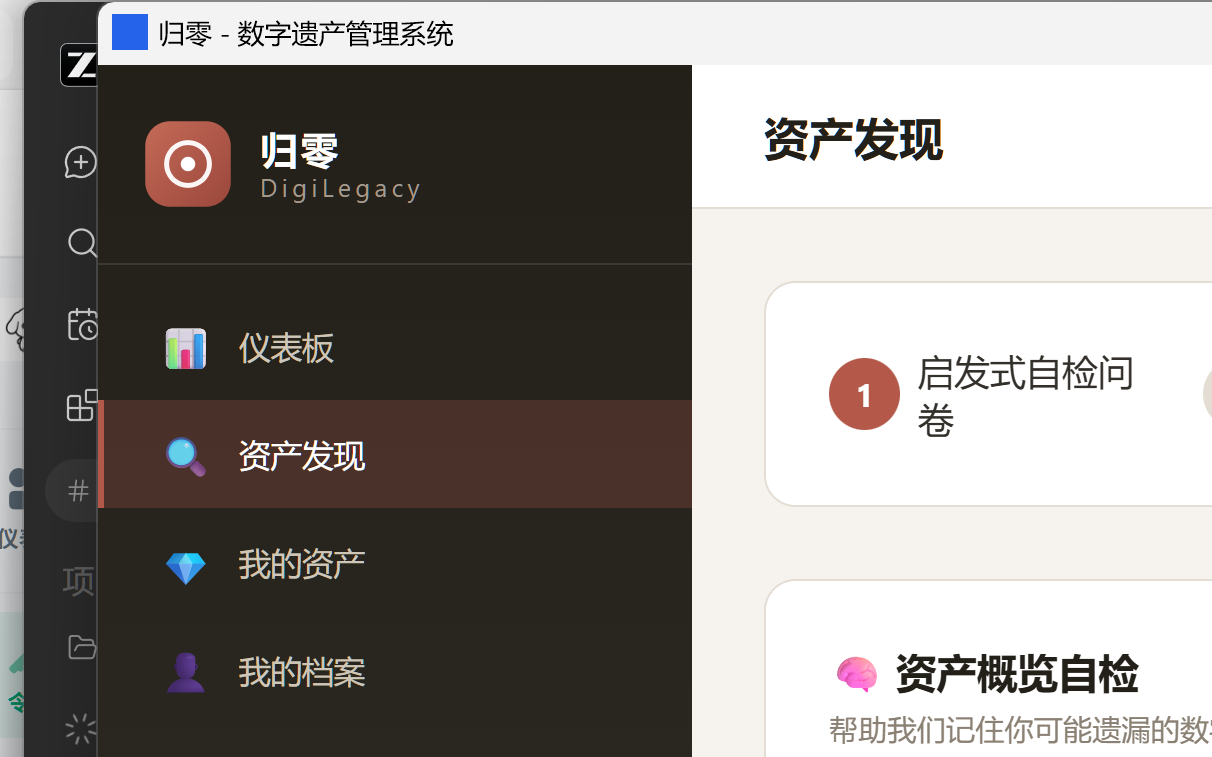
Digital asset discovery questionnaire with 10 categories
Guided discovery questionnaire
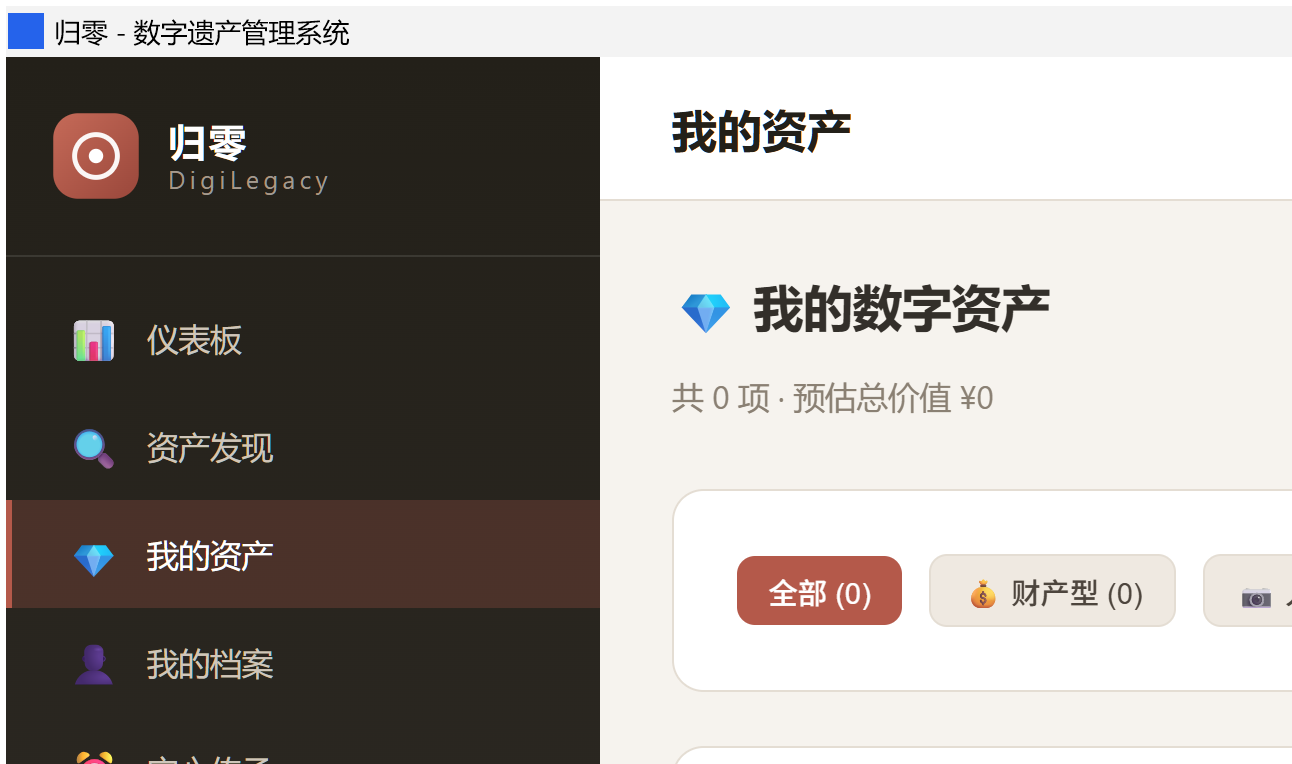
Registered digital assets list with category and disposal tags
Registered assets with disposal status
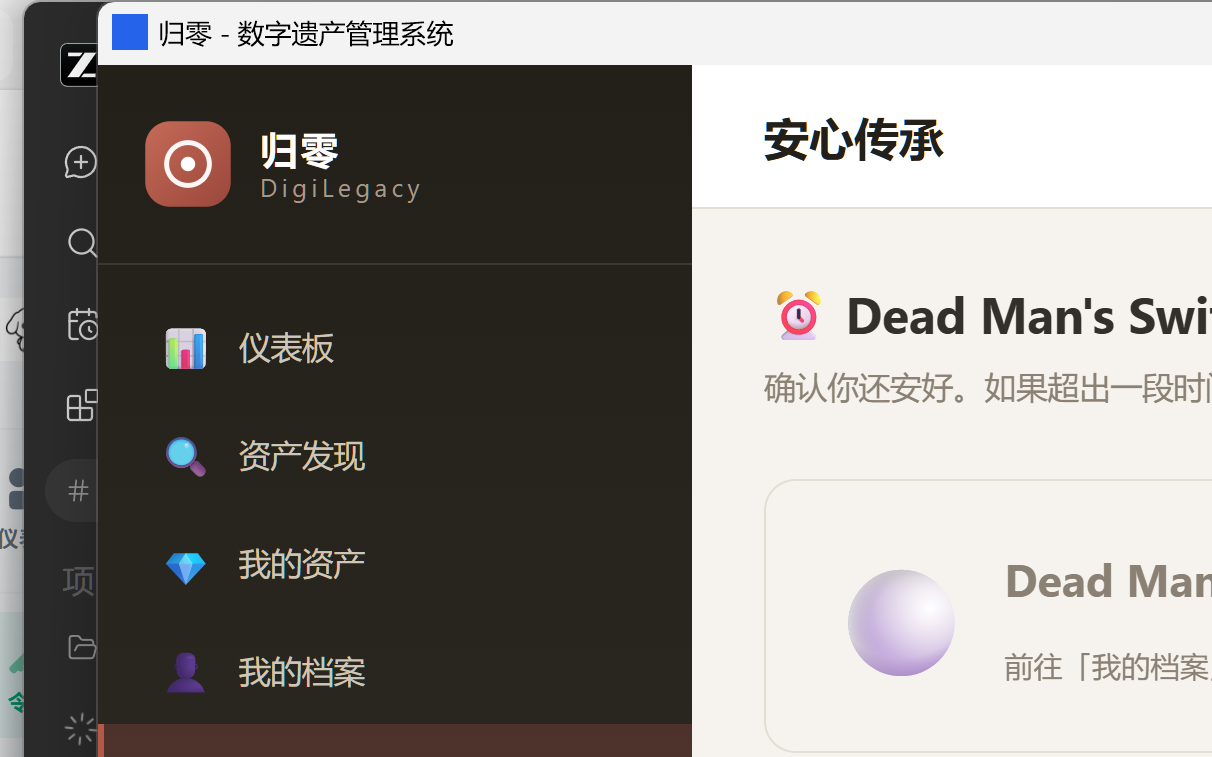
Dead man's switch page with check-in and three-stage notification chain
Dead man's switch & local reminders
Heir guidance wizard with per-platform inheritance procedures
Heir guidance wizard
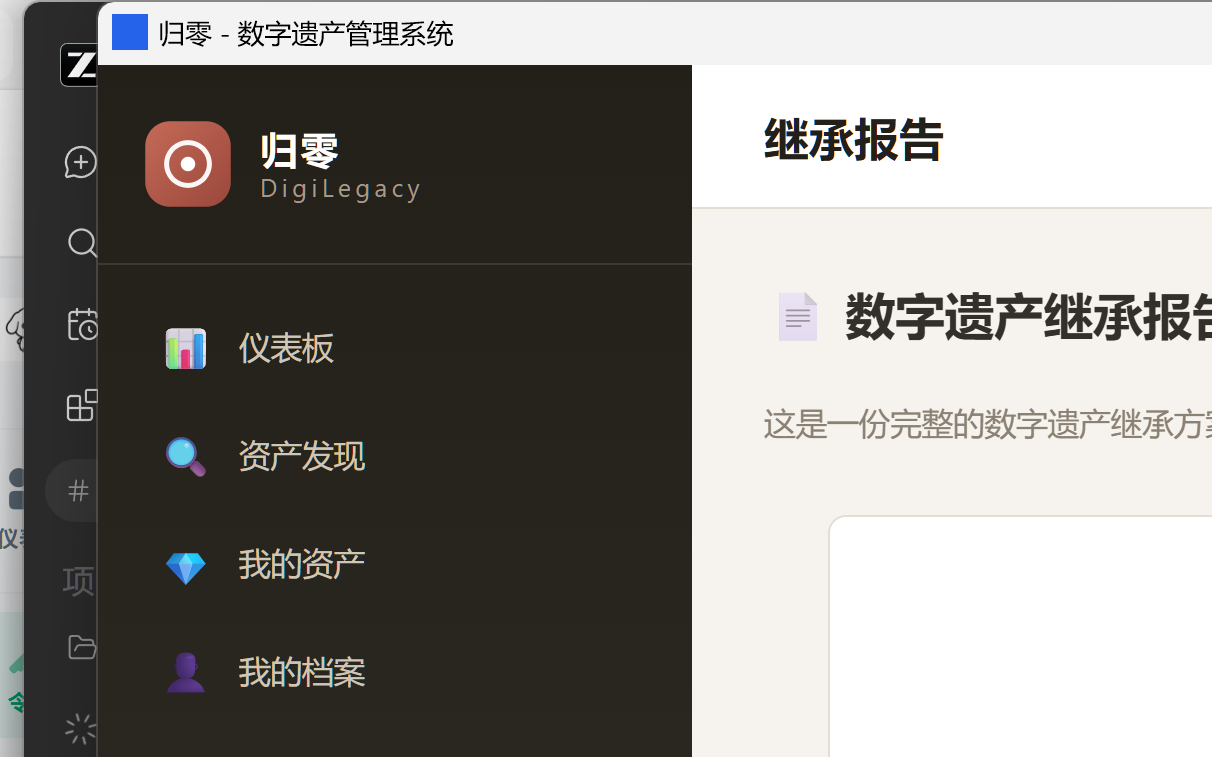
Generated inheritance report document
Generated inheritance report

Security: not even we can read your data

Digital legacy data is the most private data a person owns. So the architecture removes the question instead of promising an answer.

Field-level AES-256-GCM encryption

A zero-knowledge, local-first design: after you set a master password, account identifiers, credentials, profile fields and heir contacts are encrypted before they reach the database. The key is derived with PBKDF2-SHA256 (100,000 iterations) and lives only in memory — locking the app wipes it.

Recovery key, not a dead end

Setting a master password generates a one-time 24-character recovery key. Forget the password and you can still reset it and recover everything; the recovery key is rotated automatically on every password change.

No servers, no telemetry

There is no backend. Data lives in a single local SQLite file you can copy, back up or delete. The app makes no network requests; "open platform website" just hands a URL to your browser.

Zero-content cloud heartbeat (optional)

If you want reminders even when the app is closed, the heartbeat sends only a token. The server learns "this token is alive" and nothing else — never an asset, a credential or a name. A reference implementation is included (server/heartbeat-server.mjs).

Honest limitation: local encryption protects data at rest and cannot stop malware already running as your user, or someone who knows your master password. The recovery key is the only way back — write it down and keep it offline.

How it compares

The full chain — discovery, registration, planning, documents, trigger, execution — is currently unoccupied. Existing tools each cover a fragment.

ToolScopeWhat it leaves out
DigiLegacyAll six stages—
Google Inactive Account ManagerGoogle accounts onlyAny non-Google platform; no asset inventory; no planning workflow
Apple Digital LegacyApple ID access for a legacy contactNo inventory, no procedures, no disposal planning
Meta memorializationFacebook / Instagram accountsPassive marking only, no active planning
Password managers (1Password, Bitwarden…)Credential handoverAnswers "who gets the password", not "can it be inherited and how"
Offline will services / notary officesPaper willsNo digital asset discovery; no platform-by-platform guidance

Get started

Use the app

Download the installer or the portable executable from Releases. Windows 10/11, ~3 MB, no account, no sign-up.

# 1. Download from GitHub Releases
#    DigiLegacy_*_x64-setup.exe    (installer)
#    DigiLegacy_*_x64-portable.exe (portable, no install)

# 2. Launch it. Your data stays in:
#    %APPDATA%\com.digilegacy.app\digilegacy.db

On first launch a short guided tour explains each screen. A built-in help centre explains the encryption model and the real capability boundaries of the reminder chain.

Build from source

git clone https://github.com/badhope/digilegacy.git
cd digilegacy

npm install
npm run tauri:dev      # desktop dev mode
npm run tauri:build    # produce installers

# Frontend only (browser preview with mock data):
npm run dev            # http://localhost:1420

# Tests
cd src-tauri && cargo test

Stack: Tauri 2 (Rust) + Vue 3 + TypeScript + SQLite. 39 automated tests; CI runs on every push.

Roadmap

Shipped

Asset discovery, encrypted vault, disposal planning, report & toolkit export, dead man's switch with tray residency, recovery key, onboarding tour, help centre, zero-content heartbeat client & reference server.

Next

English and multilingual UI, encrypted cloud backup (user-held keys), mobile companion for check-ins, policy database update channel, notification action buttons.

Later

AI-assisted policy Q&A (interface reserved), institution integrations, patent filings, community-contributed policy database.

FAQ

Is DigiLegacy really free?

Yes. The desktop app is MIT-licensed and permanently free — the whole source is open. Cloud conveniences (encrypted backup, assisted setup) are planned as optional paid services; the local app stays free.

What happens to my data if the project stops being maintained?

Nothing breaks — this is the point of the local-first, zero-knowledge design. There is no server to switch off: your data is a local SQLite file, exports are open formats, and the code is public — anyone can fork and continue. That is exactly why we chose this architecture.

Does it store my passwords?

It never stores platform passwords in plaintext. You can optionally save credentials, and those are encrypted with your master password on your machine. Credentials are deliberately excluded from every exported report and toolkit.

Can it automatically detect all my accounts?

No, and any tool claiming to do so would be lying or would need your credentials. DigiLegacy does guided discovery: it knows 150+ mainstream platforms and prompts you with questions that help you remember, then you confirm. The final list is always yours.

Do reminders work when the app is closed?

With the tray resident (default) it evaluates every 30 minutes while running, and can be set to start with Windows. For reminders when the machine is off, enable the optional zero-content cloud heartbeat — the server only sees a token.

Is it about accounts on Chinese platforms specifically?

The policy database covers 150+ platforms used in mainland China (WeChat, Alipay, Taobao, Bilibili, Steam and more) because that is where platform inheritance rules are most opaque. The architecture is not region-bound.

How can I contribute?

Issues and pull requests are welcome — especially policy corrections (each entry carries a source) and translations. The database is plain Rust data, easy to extend.